 Money Pool
A savings tracker without logging every purchase
Check your level whenever it comes to mind.
Copying down each account's balance once is one "reading". Money Pool draws your assets as a reservoir and tells you whether the level rose or fell since last time, how many months your savings would last, and whether money in and money out break even each month.

One reading, four answers on the home screen
No need to log every expense. When it comes to mind, open Money Pool and type in each account's current balance. The reservoir does the rest.
-
Did my assets grow?
Every reading is compared with the last one: how much the level rose, how many months your cash and savings would last, and a water signal light.
-
Does my month break even?
Income flows in, spending flows out. The monthly balance and savings rate show at a glance whether you spend more than you earn.
-
Where does the money go?
Spending is broken down by category; open one to see what each item costs per month.
-
When are bills due?
Give an expense its last payment date and the calendar marks every payment after it. The home screen reminds you when one is close.
Three tabs for your whole reservoir
Hydrology-station colours by day; switch your phone to dark mode for the blueprint at night.
-
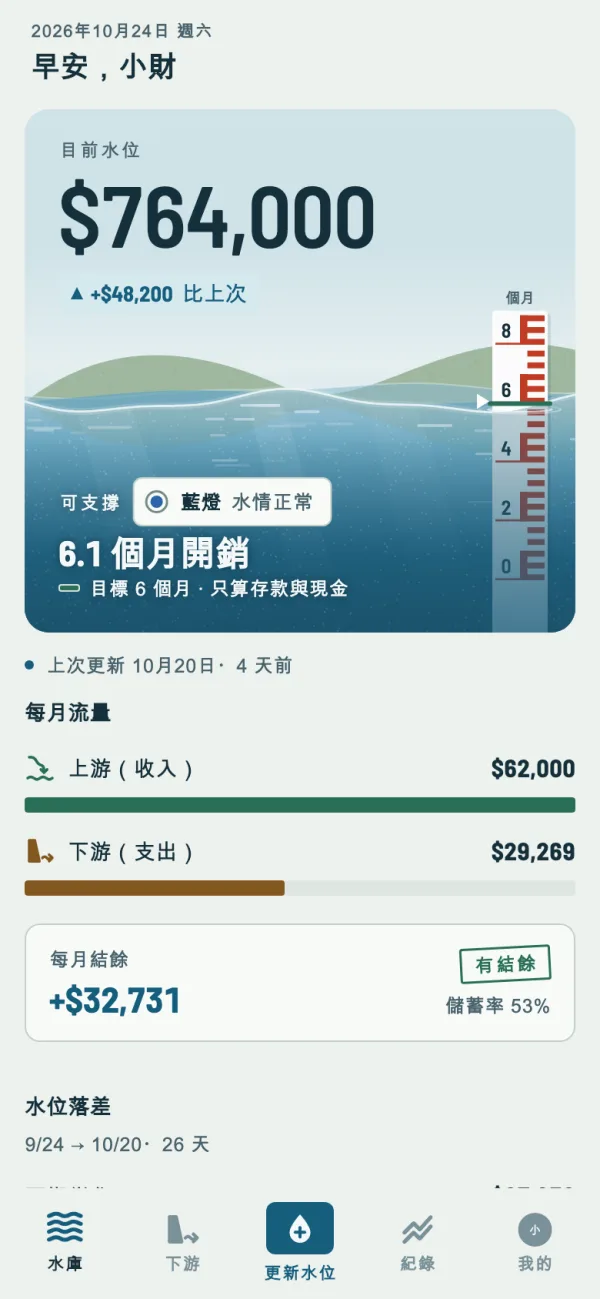
ReservoirThe level, months covered, monthly flow and how far you are from where you expected. -
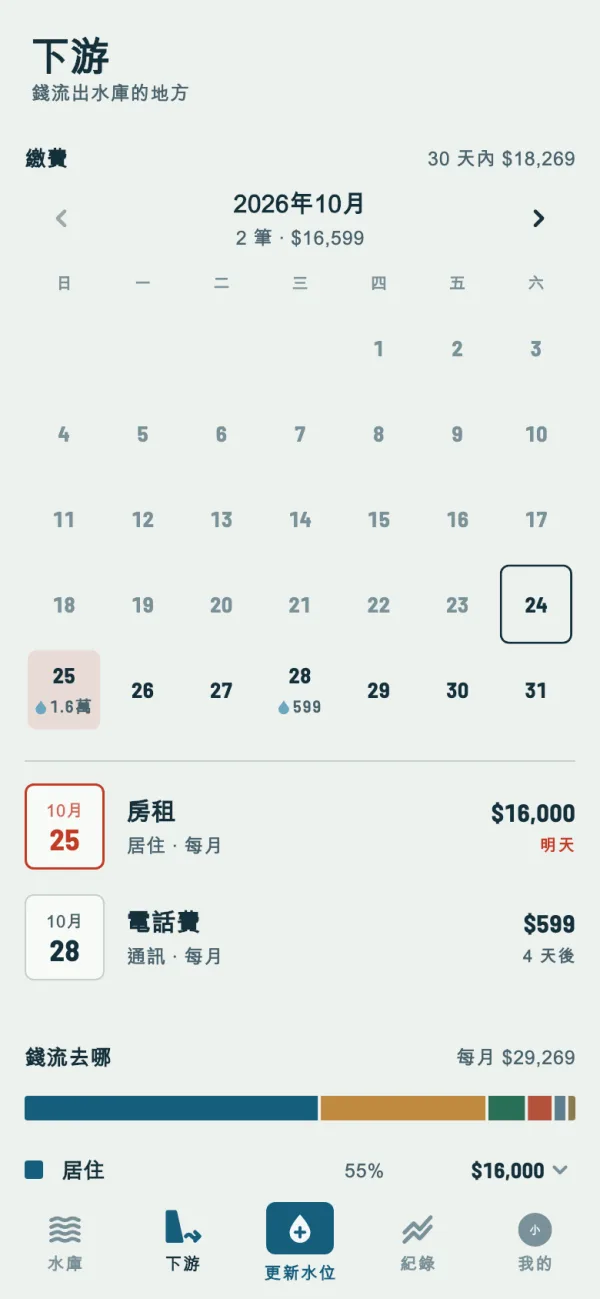
OutflowA bill calendar, where the money goes and whether your debts are shrinking. -
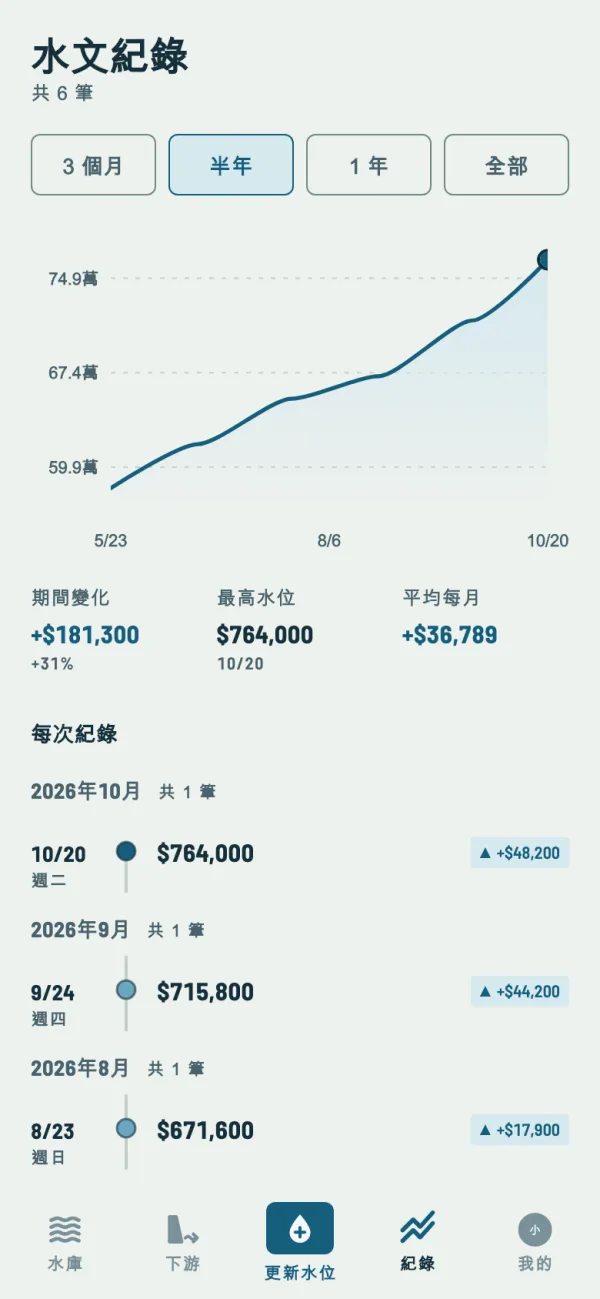
RecordsHow your assets moved, and every reading you took.


Screenshots show the app in Traditional Chinese; the app also runs in English.
And also
-
A fish in your reservoir
Penny lives in your reservoir and talks about your own numbers, leaping when the level hits a new high and speaking up when a bill is about to be due. Name the fish anything you like, or switch it off.
-
Unlock to open
Ask for your fingerprint, face or screen lock whenever Money Pool opens. On Android 13 and later, the recent apps screen doesn't show your amounts either.
-
A quick first fill
Savings, stocks, cash, credit cards, mortgage, income, spending… tap a common item and type its amount, no categories to plan first.
-
Your data follows your account
Sign in with Google and your records live in the cloud, back as soon as you sign in on a new phone. Done with it? Delete your account and data right in the app.
Take your first reading today
A few minutes to copy down your balances, and next time you open it you'll see whether the level rose.